Claire
Rzain Consulting

Introduction
Finding the best media player for Windows 11 isn’t just about playing videos anymore. Today’s users expect support for multiple file formats, smooth 4K playback, media library management, video conversion, and even offline video viewing.
While Windows 11 includes Microsoft Media Player, many users install a third-party application because they need broader file compatibility and additional features.
In this guide, we’ll compare the most popular media players for Windows 11, explain which features matter most, and help you choose the right solution based on how you use your PC.
What Makes a Great Media Player?
The best media player depends on your needs.
Before downloading one, consider these features:
If you mainly watch downloaded movies, compatibility is probably your highest priority.
If you also organize large media collections, library management becomes much more important.
Best Media Players for Windows 11
Best for users who want more than simple playback.
RealPlayer combines several multimedia tools into one application.
Depending on the version you use, features may include:
This makes it attractive for users who frequently save, organize, and convert personal media files instead of simply watching videos.
Pros
Considerations
2. VLC Media Player
VLC is one of the most widely used free media players.
It supports hundreds of codecs without additional downloads.
Pros:
Cons:
3. Windows Media Player
Windows 11 includes Microsoft’s own player.
It’s perfect for casual users but lacks many advanced multimedia tools.
4. 5KPlayer
Designed for users watching high-resolution videos.
It supports:
5. PotPlayer
A powerful choice for advanced users who like to customize every playback setting.
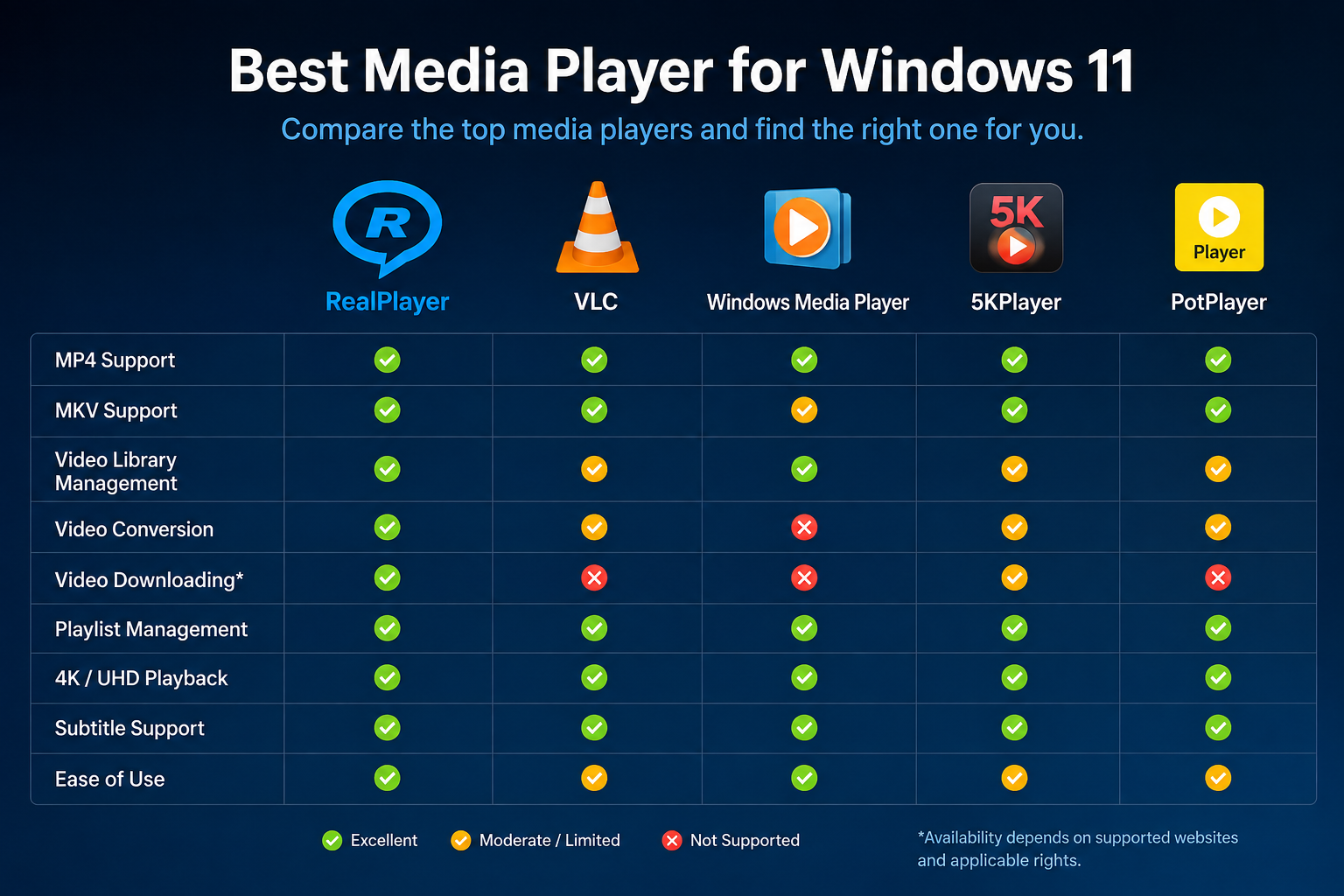
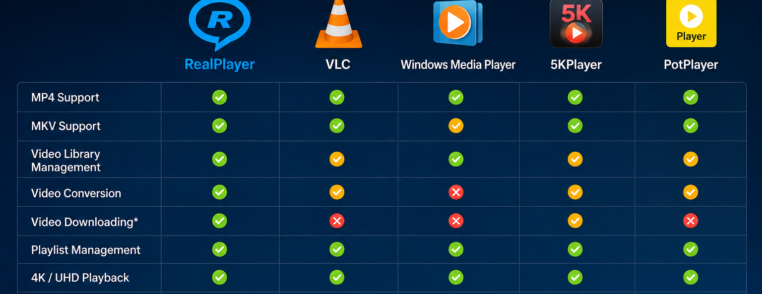
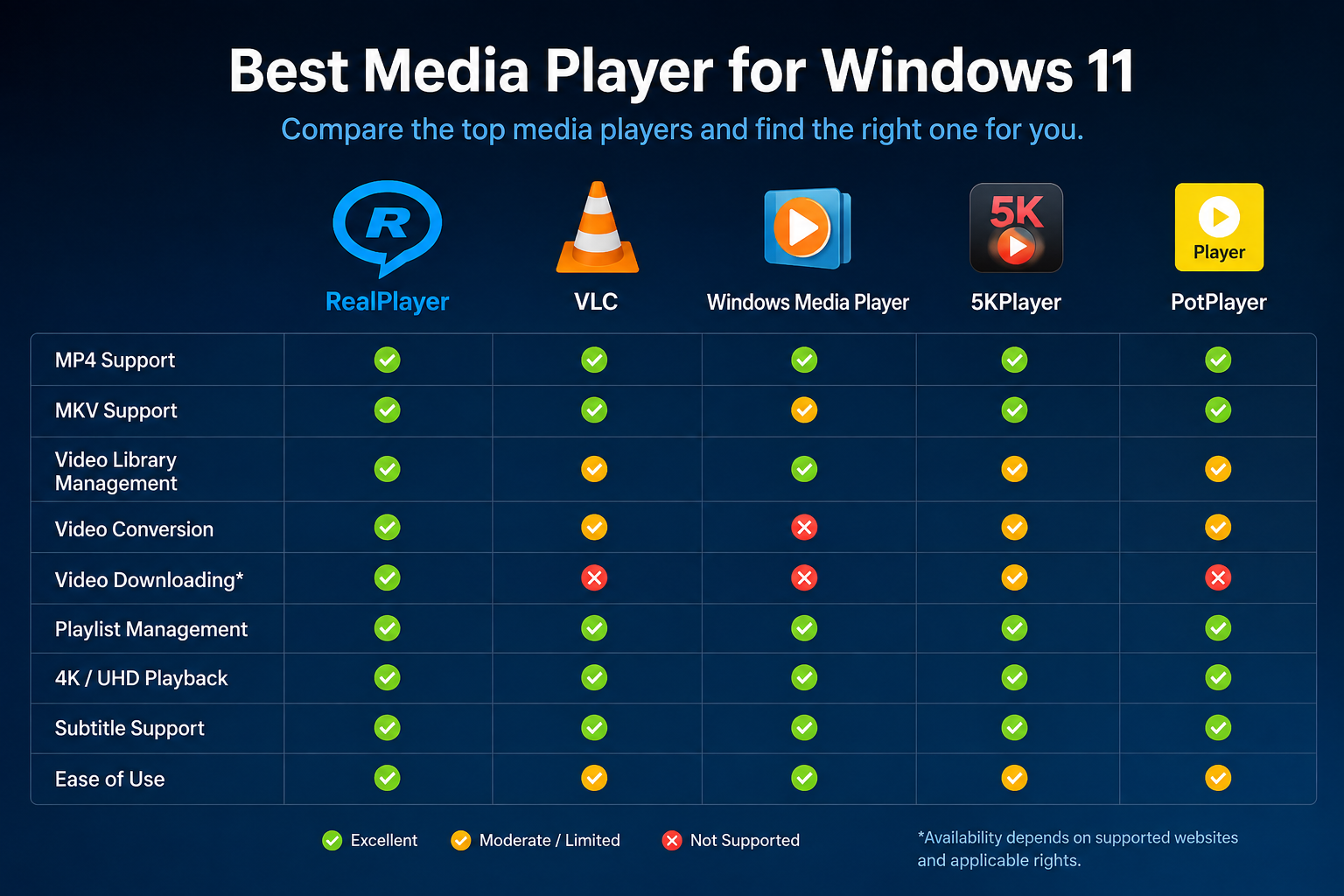
Feature Comparison
| Feature | RealPlayer | VLC | Windows Media Player | 5KPlayer |
| MP4 Support | ✓ | ✓ | ✓ | ✓ |
| MKV Support | ✓ | ✓ | Limited | ✓ |
| Video Library | ✓ | Limited | Basic | Limited |
| Video Conversion | ✓ | Limited | No | Limited |
| Video Downloading* | ✓ | No | No | Limited |
| Playlist Management | ✓ | ✓ | ✓ | ✓ |
*Availability depends on supported websites and applicable rights.
Why Do Many Windows Users Install Another Media Player?
The built-in Windows player works well for basic playback.
However, users often need additional functionality such as:
This is where third-party software becomes useful.
How to Choose the Right Media Player
Ask yourself these questions:
A lightweight player may be enough.
Choose software with media management tools.
Look for built-in conversion features.
Choose software that includes downloading capabilities where available.
Frequently Asked Questions
Yes.
Windows 11 includes Microsoft’s Media Player application.
Many users still install third-party software for broader file support and additional multimedia features.
Can Windows Media Player play MKV files?
Support depends on installed codecs and system configuration.
Many users choose third-party players for more consistent compatibility with common formats such as MKV.
Which media player supports the most video formats?
Several players support a wide variety of formats, including VLC and RealPlayer.
The best choice depends on whether you also need media management, conversion, or downloading features.
Is VLC better than RealPlayer?
They serve slightly different audiences.
VLC focuses primarily on playback and codec compatibility.
RealPlayer is designed for users who also want to organize, convert, and manage their personal media library in one application.
Final Thoughts
There isn’t a single “best” media player for every Windows 11 user.
If your priority is simply opening almost any video file, several excellent options are available.
If you also want to organize your media library, convert videos, extract audio, and manage your personal collection from one place, RealPlayer offers a broader multimedia experience alongside video playback.
Download the latest version of RealPlayer and explore the features that best match the way you watch, organize, and manage your media.